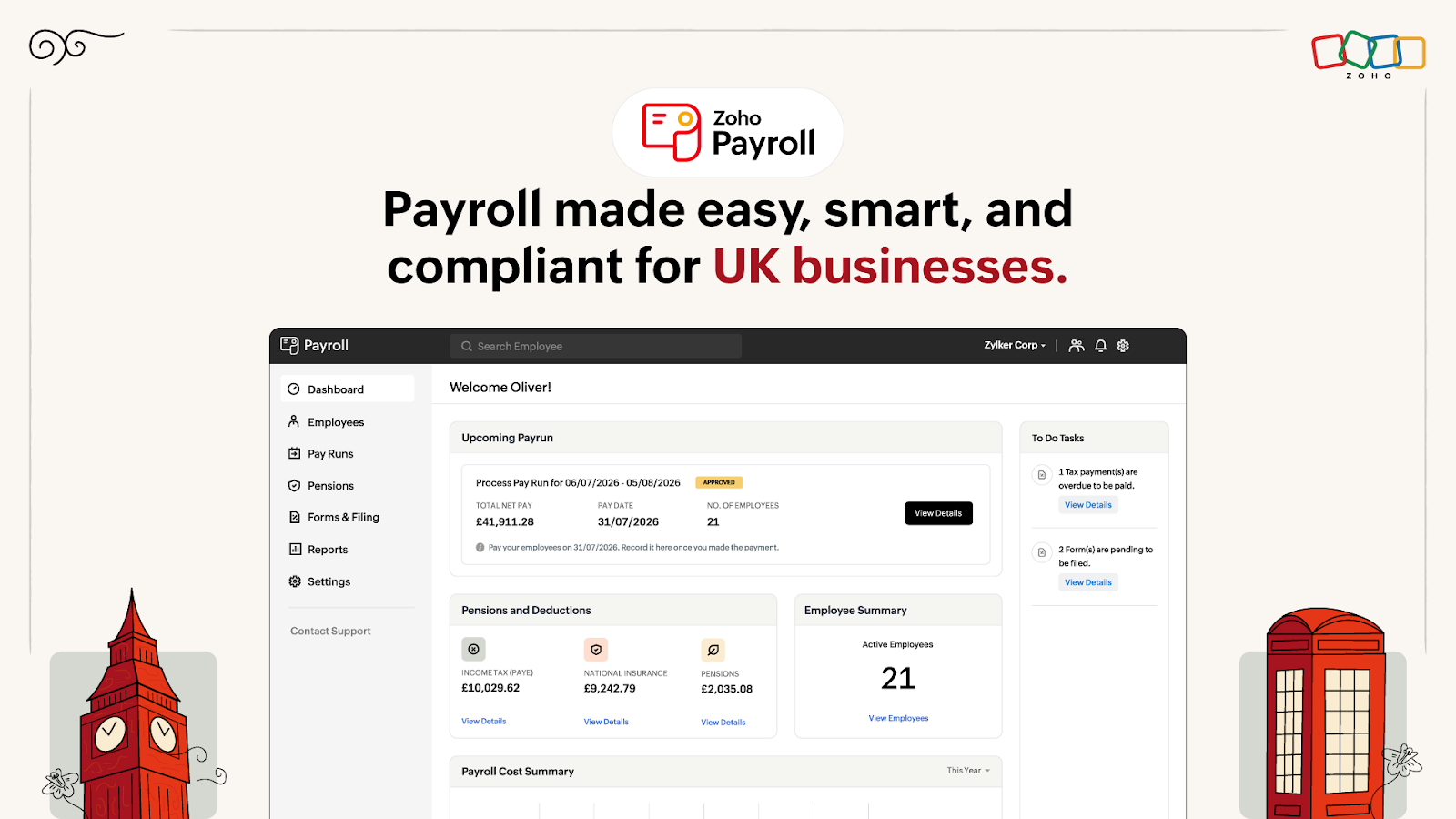
Zoho Payroll is now available for UK businesses. It brings UK payroll processing, PAYE, HMRC compliance, workplace pensions, employee self-service, and connected finance workflows into one payroll system.
The update is most relevant to small and mid-size UK businesses that want to reduce manual payroll work without maintaining separate processes for tax, pensions, payslips, and accounting.
What changed
Zoho Payroll now supports the main activities involved in UK payroll management. Businesses can set up employees, create pay schedules, process payroll, calculate deductions, generate payslips, and manage salary payments from the same system.
The UK edition is designed around PAYE, which means Pay As You Earn, the system used to deduct income tax from employee wages. It also handles National Insurance calculations and supports reporting to HM Revenue and Customs, commonly called HMRC.
Each pay run brings together employee earnings, deductions, PAYE, National Insurance, pension contributions, and net pay. Once payroll is approved, Zoho Payroll prepares the Full Payment Submission, or FPS, for HMRC. An FPS reports payment and deduction details for employees. When employer-level information is required, businesses can also prepare an Employer Payment Summary, or EPS.
The system also supports workplace pensions. It can assess employees for enrolment and manage pension opt-ins, opt-outs, cessation of membership, and re-enrolment. Contribution methods include salary sacrifice, net pay arrangements, and relief at source, depending on the organisation's pension setup.
Employee self-service gives staff direct access to payroll information. Employees can view their payslips, salary breakdowns, and workplace pension details through the self-service portal. This reduces the need for payroll administrators to answer routine questions or resend documents.
Zoho Payroll also connects payroll data with finance workflows. Payroll journal entries can be posted to Zoho Books after each pay run. Zoho Expense can bring employee reimbursements and salary payments into a connected workflow, giving finance teams more consistent payroll and expense data.
Why it matters for your business
UK payroll has several moving parts. A business must calculate pay accurately, deduct PAYE and National Insurance, manage pension obligations, provide employee records, and submit the right information to HMRC. Manual spreadsheets and disconnected payroll tools make it easier to miss a deduction, use outdated employee data, or delay a filing.
A dedicated payroll system reduces that operational risk by keeping calculations, records, and submissions together. Payroll processing becomes a repeatable cycle instead of a collection of separate tasks.
The benefit is particularly clear for small teams. Many growing businesses do not have an in-house payroll specialist. The person responsible for finance may also manage expenses, supplier payments, employee records, and monthly reporting. A connected payroll system can reduce duplicate data entry and make the process easier to review.
The Zoho ecosystem adds another practical advantage. When payroll journals move into Zoho Books, the finance team does not need to recreate salary expenses manually after every pay run. This helps keep payroll costs, deductions, liabilities, and accounting records aligned.
Employee self-service also saves time. Staff can find payslips and pension information without sending repeated requests to the owner, office manager, or accountant. That creates a clearer division of responsibility while keeping payroll information available to employees.
The result is not only payroll automation. It is better visibility across employee management, payroll, and finance. Owners can review payroll costs, while finance teams can trace deductions and liabilities to a specific pay cycle.
How to use it
Set up the organisation
Enter the company's UK payroll information, including employer tax details and the settings required for PAYE and National Insurance. Confirm the organisation's HMRC and Real Time Information details before processing the first pay run.
Add employees
Create employee records with personal information, tax details, National Insurance information, salary, deductions, and payment details. Employee records can be added individually or imported in bulk. For businesses managing broader HR processes, Zoho People provides a connected platform for employee data, leave management, and performance tracking.
Create a pay schedule
Choose how often employees are paid, such as weekly, fortnightly, or monthly. Set the payment day so Zoho Payroll can generate regular pay runs according to the company's normal payroll calendar.
Configure workplace pensions
Record the pension arrangements used by the business and define the relevant contribution groups. Review employee eligibility and configure the appropriate pension method, such as salary sacrifice, net pay, or relief at source.
Run payroll
Open the scheduled pay run and review earnings, deductions, PAYE, National Insurance, pension contributions, and net pay. Check changes such as new starters, salary updates, absences, or employee departures before approving payroll.
Approve and prepare HMRC reporting
After reviewing the pay run, approve it in Zoho Payroll. The system prepares the FPS using the approved payroll data. Submit the FPS to HMRC through the payroll workflow. Use the EPS process when employer-level information must be reported.
Pay employees
Use the available payment workflow to complete salary payments. Zoho Payroll can generate a payment file for supported bank processes, or the business can record a payment that has already been made.
Share employee information
Enable employee self-service so staff can access payslips and relevant payroll details. This gives employees a central place to find information and reduces routine payroll requests.
Review finance records
Check that payroll journal entries have reached Zoho Books after the pay run. Review salary expenses, deductions, liabilities, and other payroll reports so accounting records match the payroll cycle. For comprehensive financial visibility, Zoho Analytics can transform payroll data into actionable dashboards and reports.
Create a repeatable review process
Assign clear checks before approval. One person can verify employee changes and another can review payroll totals, deductions, pension contributions, and HMRC submissions. A short monthly checklist helps prevent small errors from becoming recurring problems.
Implementation angle
An automation partner can connect Zoho Payroll with the wider operating process, not just configure the payroll system. For example, payroll journal data can be routed into Zoho Books, while approved reimbursements from Zoho Expense are coordinated with salary payment workflows. Employee and payroll data can also be structured for analysis in reporting tools or passed into Claude through Make or n8n to generate plain-language summaries of payroll costs, deductions, and unusual changes. These automations should support review and approval, while payroll decisions and HMRC submissions remain controlled by authorised staff.
For businesses looking to unify payroll with their complete operational stack, Zoho One brings together payroll, accounting, HR, CRM, and project management in a single subscription. This eliminates the need to maintain separate systems for employee data, finance workflows, and business operations.
Book an AI implementation engagement with Creator Scripts at creatorscripts.com to connect Zoho Payroll with practical automation for your finance and employee workflows.
Frequently asked questions
What features does Zoho Payroll offer for UK businesses?
Zoho Payroll provides UK payroll processing, PAYE management, National Insurance calculations, and workplace pension management. It allows businesses to handle employee self-service, pay schedules, and compliance reporting to HMRC all within one platform. For businesses looking to expand beyond payroll, Zoho People offers comprehensive HR management that integrates seamlessly with payroll operations.
How can I set up Zoho Payroll for my small business?
To set up Zoho Payroll, you need to input your company's payroll information, add employee records, create a pay schedule, and configure workplace pensions. After that, you can run payroll, approve it, and generate necessary reports for HMRC. If you're managing multiple business processes, consider exploring Zoho One, which bundles payroll with CRM, accounting, and other essential business tools in one unified platform.
Can employees access their payroll information directly?
Yes, Zoho Payroll includes an employee self-service portal. Employees can view their payslips, salary details, and pension information without needing to contact payroll administrators. To streamline document signing for employment contracts and payroll-related paperwork, many businesses pair their payroll system with Zoho Sign for secure digital signatures. Additionally, understanding common Zoho implementation challenges can help you maximize your payroll system's effectiveness from day one.


No comments:
Post a Comment