Friday, October 23, 2026

Zoho FSM Scheduled Maintenance for Cleaners

Zoho FSM can support one-off and recurring service work, but cleaning companies should test its planning model before switching from Jobber. The main concern is the gap between planning future work, assigning cleaners, and consuming credits for scheduled work orders.

What changed

The source case involves a midsize cleaning company evaluating Zoho FSM for apartment cleaning, office cleaning, recurring cleaning services, and seasonal turnover cleaning. The business handles about 500 visits in a typical month, with volume rising to roughly 1,600 visits in July and August near a major university.

The first issue is the relationship between job scheduling and credit charging. The company often receives apartment cleaning schedules months before the work takes place. For example, a customer may confirm May planning for visits that will happen in August.

The operating preference is to create the work orders early, then assign cleaners and organize the workforce before the busy season begins. However, the company reported that Zoho FSM charges a credit when the work order is created and assigned, even when the service appointment is months away.

That creates a serious planning constraint. Creating August work orders in May can consume credits before the company delivers the service. For a business that handles 1,600 visits in a peak month, the difference between early planning and short-term scheduling can affect both cost control and operational visibility.

The second issue concerns recurring job scheduling. Consider an office cleaning contract that requires service every Monday at 9:00 a.m. for two years. The company may want to assign the work to Cleaner A immediately and block that time on the cleaner's schedule for the full contract period.

The reported limitation is that Zoho FSM does not allow the company to reserve every future date and time for that cleaner upfront without creating the associated work. Instead, recurring work is created closer to each visit. Zoho's current documentation describes recurring service appointments through Scheduled Maintenance, with work order and service appointment templates, but the source case highlights a separate operational need: long-term capacity blocking for a specific cleaner.

That distinction matters. Automating future appointments is not the same as showing a cleaner's contracted time as unavailable for every future Monday. A cleaning company needs both. It must generate the recurring work and prevent other customers from taking the same time slot.

Why it matters for your business

These scheduling gaps affect more than administrative convenience. They influence whether a field service management platform matches the way a cleaning company sells and delivers work.

Cleaning businesses often schedule in two timeframes:

  • Planning timeframe: reserving capacity weeks or months ahead.
  • Execution timeframe: confirming the exact visit, cleaner, and appointment details closer to the service date.

Turnover cleaning makes this especially important. Student housing and apartment turnover work can create sharp seasonal peaks. Managers need to forecast labor, assign crews, and protect availability before demand arrives.

A credit charging system that applies when a work order is created can make early planning expensive. Teams may delay work order creation to avoid consuming credits. That reduces schedule visibility and forces managers to track future commitments in spreadsheets, calendars, or another system.

The recurring job limitation creates a different risk. Suppose Cleaner A is committed to an office cleaning contract every Monday at 9:00 a.m. If that time is not visibly blocked for the full two-year contract, a dispatcher may accept another customer at the same time. The result can be double booking, manual rescheduling, or a promise that the business cannot keep.

This affects customer contracts as well. Recurring cleaning services depend on consistent time slots and reliable cleaner assignment. A service scheduling platform must show future capacity clearly enough for staff to make decisions without checking several systems.

Zoho FSM does include tools for work order management, service appointments, resource assignment, and recurring service plans. Its documentation describes recurring appointments through Scheduled Maintenance, including work order templates, service appointment templates, plan intervals, and scheduled dates. The practical question for a cleaning company is whether those tools support its preferred planning and credit model.

Before moving from Jobber or another field service software, test the complete process with realistic volume. Do not evaluate only a single recurring appointment. Model a two-year office contract, a three-month advance booking, and a summer month with 1,600 visits.

How to use it

Use this process to evaluate Zoho FSM before committing to a migration.

  1. Map your service types. Separate one-off cleaning work, recurring office cleaning, apartment cleaning, and turnover cleaning. Each type may require a different scheduling process.
  2. Document your planning window. Record how far ahead customers provide schedules. Include examples such as planning in May for work performed in August.
  3. Measure monthly volume. Test normal demand, such as 500 visits per month, and peak demand, such as 1,600 visits in July and August. Include the number of work orders and appointments that would be created in each period.
  4. Create a sample work order. Add the customer, location, service, date, duration, and assigned cleaner. Confirm when the system consumes a credit and which action triggers the charge.
  5. Test delayed execution. Create a future work order several months before the appointment. Check whether the credit is charged at work order creation, appointment creation, assignment, dispatch, or another stage.
  6. Build a recurring cleaning example. Use an office cleaning contract scheduled every Monday at 9:00 a.m. for two years. Set up the recurring plan using the available Scheduled Maintenance and service appointment tools.
  7. Check future calendar visibility. Review the cleaner's schedule several weeks and months ahead. Confirm whether every Monday at 9:00 a.m. appears as unavailable, or whether only near-term appointments are visible.
  8. Attempt a conflict. Create a new customer request for the same cleaner, weekday, and time. Test whether Zoho FSM prevents the assignment or clearly displays the contracted time as occupied.
  9. Test reassignment. Move one recurring visit to another cleaner. Verify whether the change affects only one appointment or the entire recurring schedule.
  10. Define a credit policy. Decide which work should be created early and which should wait until the execution window. Document who can create, assign, and dispatch work orders.
  11. Use a temporary planning register if needed. Until the credit behavior and future capacity model fit your process, track uncreated future commitments in a controlled spreadsheet or CRM view. Include customer, location, service date, preferred time, and planned cleaner.
  12. Run a peak-season simulation. Process a representative batch of summer turnover cleaning. Look for duplicate assignments, hidden conflicts, excessive credit consumption, and manual steps.

Zoho's documented recurring service workflow uses a work order template and a service appointment template. The template approach can help standardize services, durations, resources, and intervals. It does not by itself prove that long-term cleaner capacity will be blocked in the way a cleaning company needs, so that behavior should be tested directly.

Implementation angle

An automation partner could create a planning layer outside the active Zoho FSM work order process, storing future apartment and turnover cleaning commitments without generating every operational work order immediately. A scheduled workflow automation could then create or release Zoho FSM work orders inside an agreed planning window, reducing premature credit consumption while preserving visibility. For recurring office contracts, an integration with Zoho CRM, Zoho Creator, Make, or n8n could maintain the full contract calendar, flag conflicts, and send only ready-to-execute appointments into Zoho FSM. Creator Scripts can help design that workflow around your volume, credit policy, and cleaner scheduling rules, so book an AI implementation engagement with Creator Scripts at creatorscripts.com.

Frequently asked questions

How does Zoho FSM handle work order credits for future service appointments?

Zoho FSM charges a credit when you create and assign a work order, even if the scheduled service is months away. This can impact planning, especially if your business handles large volumes during peak seasons. You may need to manage credits carefully to prevent unexpected costs.

Can I reserve a cleaner's schedule for long-term contracts in Zoho FSM?

Zoho FSM does not allow you to block a cleaner's schedule for all future appointments upfront. To reserve time, you must create recurring work orders closer to each visit, which can lead to double bookings if not managed properly. For businesses requiring more flexible scheduling automation, workflow automation platforms can help bridge scheduling gaps across multiple systems.

What should I consider before switching from Jobber to Zoho FSM for my cleaning business?

Test Zoho FSM's features with your specific scheduling needs before making a switch. Evaluate how it handles credits, job scheduling, and visibility of cleaner availability to ensure it aligns with your operational workflow. Consider exploring Zoho One's integrated approach if you need additional business management tools beyond field service.

Thursday, October 22, 2026

Zoho Sites AI workflow for faster website launches

Zoho Sites is making the website creation process faster for small businesses that need a functional site without a large development team. In one reported project, MMA Tamil Nadu's website went from design to a working version in about six hours, compared with the seven days this type of project would traditionally take.

What changed

The new Zoho Sites experience combines a no-code website builder with AI-assisted web design and a faster design-to-deployment workflow. The result is not simply an AI-generated template. It is a process that connects an existing visual direction with website implementation, content refinement, and form collection.

The MMA Tamil Nadu project used four parts of this workflow:

  • Claude Design established the website's visual direction and overall design.
  • Zoho MCP and Zoho Sites brought that design into the website-building platform and accelerated implementation.
  • Ask Zia helped refine the site, clean up elements, and make changes faster.
  • Zoho Forms handled registration forms on the website.

Zoho MCP refers to the connection used to bring the design workflow into Zoho Sites. In practical terms, it helps reduce the manual work between approving a design and rebuilding it inside the website builder.

Ask Zia adds an AI assistant to the refinement stage. The project used it to improve page elements and iterate quickly. Zoho's Sites documentation also describes its AI assistant as a tool for creating, refining, and optimizing website content within the builder.

Zoho Forms integration provides a direct way to add a published form to a Zoho Sites page. Zoho's documentation says the form can be selected from the Zoho Forms element inside the Sites editor, then added to the webpage.

The important change is the combination. AI supports the entire web design workflow, from visual direction to website refinement. It does not remove the need for human decisions about layout, messaging, usability, or brand quality.

Why it matters for your business

A website project often slows down between design and implementation. A designer creates a concept, someone rebuilds it in a website builder, another person adjusts the content, and a third person adds forms or checks the user experience. Each handoff creates delays and opportunities for errors.

The MMA Tamil Nadu example shows how an AI-assisted website development process can shorten those handoffs. A functional version that might normally take at least seven days was prepared in about six hours. That does not mean every business website will take six hours. The final time depends on the number of pages, the quality of the design, the content, and the amount of manual refinement required.

For a small or mid-size business in Mexico or Latin America, the practical benefit is speed with less technical overhead. You can move from an approved design to a working website without building a custom development team. The no-code implementation also makes it easier for an operator or marketing team to manage routine changes after launch.

This is especially useful for projects such as:

  • Event registration websites
  • Association or membership sites
  • Campaign landing pages
  • Service business websites
  • Product or program launches
  • Websites that need forms from the first release

Zoho Forms adds value because registration and inquiry forms are part of the website creation process, not an afterthought. A business can collect information directly from the published site and connect that activity to its wider Zoho workflow where appropriate.

The main limitation is quality control. Faster website development does not automatically produce a strong website. Someone still needs to check the page structure, mobile experience, navigation, wording, spacing, calls to action, and accessibility. AI-powered design tools can accelerate production, but they do not replace sound UX decisions or an understanding of the customer.

The strongest approach is human-AI collaboration. Use AI to reduce repetitive work and speed up iterations. Keep people responsible for the decisions that affect trust, clarity, and conversion.

How to use it

  1. Define the website's purpose.
    Write down the primary action visitors should take. For MMA Tamil Nadu, registration was an important requirement. For a service business, it may be a consultation request or quote form.

  2. Prepare the content before building.
    Collect the logo, brand colors, images, page names, contact details, service descriptions, and required legal text. AI can help refine content, but it works better when the business provides accurate source material.

  3. Create the visual direction in Claude Design.
    Establish the look and feel before moving into implementation. Decide on the page hierarchy, typography style, color use, image treatment, and layout pattern. A clear design direction gives the AI-assisted workflow a useful target.

  4. Connect the design workflow with Zoho Sites through Zoho MCP.
    Use the MCP connection to bring the design into Zoho Sites. This step is intended to reduce the amount of manual rebuilding between the design stage and the website builder.

  5. Build the initial pages in Zoho Sites.
    Check that the main navigation works and that each page has one clear purpose. Start with the pages needed for launch instead of delaying publication for a perfect, oversized site.

  6. Use Ask Zia for focused refinements.
    Ask it to improve specific page elements, clean up wording, or make content clearer. Give one task at a time. For example, request a shorter heading, a clearer paragraph, or a more consistent call to action.

  7. Add registration or inquiry forms with Zoho Forms.
    Create and publish the form in Zoho Forms first. In Zoho Sites, add the Zoho Forms element, select the required form, and place it on the relevant page. Zoho's documentation identifies publishing the form as a prerequisite for the integration.

  8. Test every submission.
    Submit the form yourself from desktop and mobile devices. Confirm that the required fields work, notifications arrive, and the information reaches the correct team. Do not collect sensitive information such as passwords or CVV numbers through Zoho Forms.

  9. Review the website manually before launch.
    Check the mobile layout, spelling, links, images, page loading behavior, form instructions, and contact details. Ask someone unfamiliar with the project to complete the main visitor task. Their confusion will reveal problems that AI may not catch.

  10. Publish a useful first version and improve it.
    A functional site can launch before every possible page is complete. Continue using Ask Zia and normal editing tools to refine the content based on real visitor behavior and business priorities.

Implementation angle

A Creator Scripts implementation could turn the Zoho Sites and Zoho Forms workflow into a repeatable launch process for campaigns, events, or regional service pages. Form submissions could be routed into Zoho CRM, a team notification flow, or an AI review step using Claude, Make, or n8n, depending on the systems already in use. The workflow could also classify registrations, flag incomplete information, and prepare a follow-up task without requiring custom development for every website. Those looking to streamline their Zoho automation workflows can benefit from proven integration patterns. Book an AI implementation engagement with Creator Scripts at creatorscripts.com.

Frequently asked questions

How long does it take to build a website using Zoho Sites?

The duration can vary based on the complexity of your project. However, using Zoho Sites with its no-code tools, some businesses have completed a functional website in as little as six hours. Generally, the total time may depend on factors like the number of pages and design quality.

What features does Zoho Forms offer for website creation?

Zoho Forms allows you to create registration and inquiry forms that can be integrated directly into your Zoho Sites pages. This functionality helps collect user data while the website is being developed, improving the overall workflow. You can easily add these forms to your site using the Zoho Forms element in the editor.

How does Ask Zia help in website development using Zoho Sites?

Ask Zia is an AI assistant that aids in refining and optimizing website content within Zoho Sites. It can help improve page elements, clean up wording, and speed up the refinement process. By focusing on one task at a time, you can make your website more user-friendly and effective. For those looking to master Zoho automation workflows beyond basic site building, exploring integration capabilities can further enhance your web presence.

Wednesday, October 21, 2026

Zoho Mail account creation error: how to contact support

A Zoho Mail business email signup can fail with the message, "We are unable to create your account right now. Please contact support-as@zohocorp.com." This usually requires Zoho's support team to review the account creation request. The steps below help you submit the right information and avoid delays.

What changed

The account creation process did not complete. Instead of creating the business email account, Zoho displayed a registration error and directed the user to contact support-as@zohocorp.com.

Zoho documents a similar restriction when an administrator cannot create a user in Zoho Mail. In that case, the support team reviews the request after receiving the email address that the business is trying to create. Zoho states that this review can take 24 to 48 hours.

A business email setup also depends on the company's domain. Zoho's setup guidance requires an active domain and access to its DNS settings. DNS, or Domain Name System, is the configuration that connects the domain to email services.

The issue is therefore more than a normal password or verification problem. It is an account creation failure that needs either a corrected setup or a support review.

Why it matters for your business

A business email account is part of your customer communication, invoices, notifications and internal work. When account creation stops, employees may be unable to use addresses such as ventas@empresa.com or administracion@empresa.com.

The error can also delay a broader email account setup. A company may have a domain ready but still need Zoho to confirm that the account or new user can be created. Waiting without sending the required details can extend the customer support response time.

For small businesses, the practical goal is to separate setup tasks from support tasks:

  • Confirm that the domain is active.
  • Confirm that the person completing the signup has access to the domain's DNS manager.
  • Record the exact error message.
  • Send the affected email address to Zoho support.
  • Keep the support request focused on one account creation issue.

Do not repeatedly submit the same signup form without changing anything. Multiple attempts may make it harder to identify which request needs review.

How to use it

  1. Save the exact error

Copy the complete message shown during signup:

We are unable to create your account right now. Please contact support-as@zohocorp.com.

Take a screenshot that includes the page, the affected email address if it appears, and the approximate time of the failed attempt. Do not include passwords or verification codes.

  1. Check the business email details

Confirm the email address you are trying to create. Check for spelling mistakes, an incorrect domain, or an address that may already exist in the organization.

If you are adding a user to an existing Zoho Mail organization, sign in to the Zoho Mail Admin Console and search the Users section. Also check whether the address is already being used as an alias. Zoho explains that an address already associated with the organization cannot be reused.

  1. Confirm domain access

For a domain-based business email, confirm that the domain is active and that you can access its DNS manager. You may need this access later to verify ownership and complete email hosting setup.

If another person manages the domain, ask that person to be available. This could be a domain registrar, web agency or hosting provider. If you're working with a custom domain on Zoho Mail's free plan, the DNS configuration steps are particularly important to understand before contacting support.

  1. Email Zoho support

Send the request to support-as@zohocorp.com, the address shown in the error message. Include:

  • The email address you are trying to create.
  • The business domain.
  • The Zoho account email or administrator email used for signup.
  • The exact error message.
  • The date and approximate time of the failed attempt.
  • Your country or deployment region, if known.
  • A screenshot with passwords and security codes removed.

Use a clear subject such as: "Business email account creation error for [your domain]."

  1. Explain the problem in one paragraph

A concise message helps support identify the request. For example:

Hello, I am trying to create the business email address [address] for the domain [domain]. Zoho displays: "We are unable to create your account right now. Please contact support-as@zohocorp.com." The attempt failed on [date and approximate time]. Please review the account creation request and advise how to complete the setup. I have attached a screenshot of the error.

  1. Allow time for the review

Zoho's guidance for a restricted user creation request says the concerned team may respond within 24 to 48 hours. If there is no response after that period, reply to the original email instead of opening several separate requests. Include the original subject and any ticket or case number.

While waiting for support, you may want to review common invalid request issues in Zoho Mail to ensure your setup doesn't have other configuration problems that could delay resolution.

  1. Continue only after support confirms the next step

Do not change DNS records or delete existing accounts unless Zoho support tells you to do so. If the domain or email address belongs to another Zoho organization or deployment region, moving it may require a specific process.

Once Zoho approves the request, complete the normal setup. This may include domain verification, DNS changes and adding users through the Admin Console. Zoho's user setup process allows an administrator to create a user, assign an address and choose whether to send the login credentials by email.

For businesses managing multiple email accounts or planning to scale their communication infrastructure, Zoho Workplace provides a comprehensive email and collaboration suite that simplifies user management and reduces configuration complexity.

Implementation angle

An automation partner can create a support intake workflow for Zoho Mail account creation issues. A form can capture the domain, affected address, error screenshot and administrator email, then route a complete request to support-as@zohocorp.com without exposing passwords or verification codes. The same workflow can use Make or n8n to log the case, remind the operator after the 24 to 48 hour review window and notify the business when a response arrives. For organizations already using Zoho's ecosystem, Zoho Flow offers native integration with Zoho Mail and other Zoho products to streamline support ticket tracking. Book an AI implementation engagement with Creator Scripts at creatorscripts.com.

Frequently asked questions

Why can't I create a Zoho Mail business email account?

The account creation process may have encountered an issue, which typically results in an error message. This issue usually requires Zoho's support team to review your request and may take 24 to 48 hours to resolve.

What information do I need to provide to Zoho support?

You should provide the email address you are trying to create, your business domain, and the exact error message you received. Including a screenshot of the error and any relevant dates can help speed up the support process. For more detailed guidance on resolving common Zoho Mail issues, check out this troubleshooting guide for invalid request errors.

How can I confirm my domain is set up correctly for Zoho Mail?

Check that your domain is active and that you have access to its DNS manager. Make sure there are no spelling errors in the email address you're trying to create and remember that existing addresses cannot be reused. If you're setting up a custom domain for the first time, this step-by-step guide on adding custom domains can walk you through the DNS configuration process.

Tuesday, October 20, 2026

Zoho Payroll UK: Streamline PAYE and HMRC Compliance

Zoho Payroll UK: Streamline PAYE and HMRC Compliance

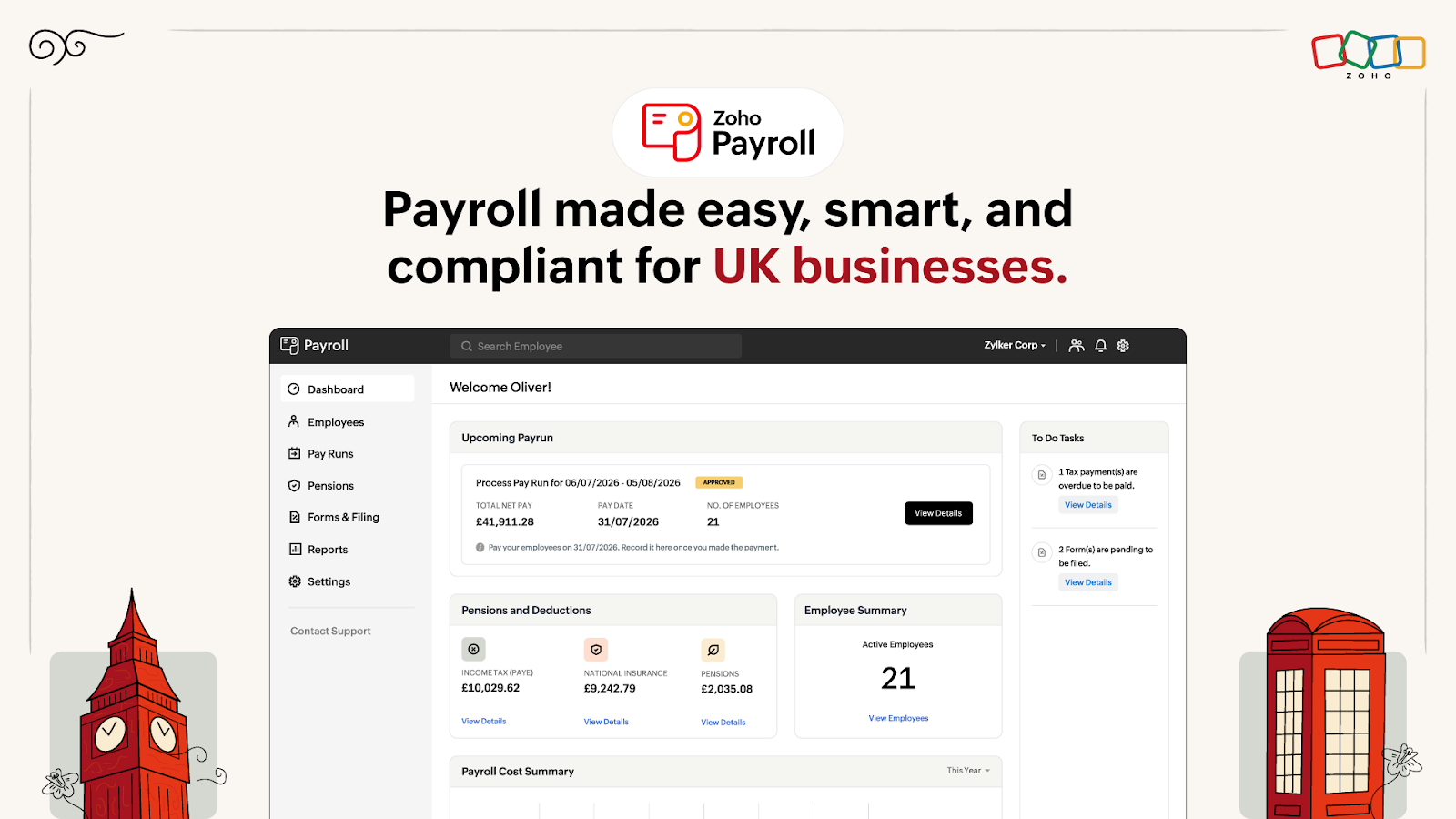
Zoho Payroll is now available for UK businesses. It brings UK payroll processing, PAYE, HMRC compliance, workplace pensions, employee self-service, and connected finance workflows into one payroll system.

The update is most relevant to small and mid-size UK businesses that want to reduce manual payroll work without maintaining separate processes for tax, pensions, payslips, and accounting.

What changed

Zoho Payroll now supports the main activities involved in UK payroll management. Businesses can set up employees, create pay schedules, process payroll, calculate deductions, generate payslips, and manage salary payments from the same system.

The UK edition is designed around PAYE, which means Pay As You Earn, the system used to deduct income tax from employee wages. It also handles National Insurance calculations and supports reporting to HM Revenue and Customs, commonly called HMRC.

Each pay run brings together employee earnings, deductions, PAYE, National Insurance, pension contributions, and net pay. Once payroll is approved, Zoho Payroll prepares the Full Payment Submission, or FPS, for HMRC. An FPS reports payment and deduction details for employees. When employer-level information is required, businesses can also prepare an Employer Payment Summary, or EPS.

The system also supports workplace pensions. It can assess employees for enrolment and manage pension opt-ins, opt-outs, cessation of membership, and re-enrolment. Contribution methods include salary sacrifice, net pay arrangements, and relief at source, depending on the organisation's pension setup.

Employee self-service gives staff direct access to payroll information. Employees can view their payslips, salary breakdowns, and workplace pension details through the self-service portal. This reduces the need for payroll administrators to answer routine questions or resend documents.

Zoho Payroll also connects payroll data with finance workflows. Payroll journal entries can be posted to Zoho Books after each pay run. Zoho Expense can bring employee reimbursements and salary payments into a connected workflow, giving finance teams more consistent payroll and expense data.

Why it matters for your business

UK payroll has several moving parts. A business must calculate pay accurately, deduct PAYE and National Insurance, manage pension obligations, provide employee records, and submit the right information to HMRC. Manual spreadsheets and disconnected payroll tools make it easier to miss a deduction, use outdated employee data, or delay a filing.

A dedicated payroll system reduces that operational risk by keeping calculations, records, and submissions together. Payroll processing becomes a repeatable cycle instead of a collection of separate tasks.

The benefit is particularly clear for small teams. Many growing businesses do not have an in-house payroll specialist. The person responsible for finance may also manage expenses, supplier payments, employee records, and monthly reporting. A connected payroll system can reduce duplicate data entry and make the process easier to review.

The Zoho ecosystem adds another practical advantage. When payroll journals move into Zoho Books, the finance team does not need to recreate salary expenses manually after every pay run. This helps keep payroll costs, deductions, liabilities, and accounting records aligned.

Employee self-service also saves time. Staff can find payslips and pension information without sending repeated requests to the owner, office manager, or accountant. That creates a clearer division of responsibility while keeping payroll information available to employees.

The result is not only payroll automation. It is better visibility across employee management, payroll, and finance. Owners can review payroll costs, while finance teams can trace deductions and liabilities to a specific pay cycle.

How to use it

  1. Set up the organisation

    Enter the company's UK payroll information, including employer tax details and the settings required for PAYE and National Insurance. Confirm the organisation's HMRC and Real Time Information details before processing the first pay run.

  2. Add employees

    Create employee records with personal information, tax details, National Insurance information, salary, deductions, and payment details. Employee records can be added individually or imported in bulk. For businesses managing broader HR processes, Zoho People provides a connected platform for employee data, leave management, and performance tracking.

  3. Create a pay schedule

    Choose how often employees are paid, such as weekly, fortnightly, or monthly. Set the payment day so Zoho Payroll can generate regular pay runs according to the company's normal payroll calendar.

  4. Configure workplace pensions

    Record the pension arrangements used by the business and define the relevant contribution groups. Review employee eligibility and configure the appropriate pension method, such as salary sacrifice, net pay, or relief at source.

  5. Run payroll

    Open the scheduled pay run and review earnings, deductions, PAYE, National Insurance, pension contributions, and net pay. Check changes such as new starters, salary updates, absences, or employee departures before approving payroll.

  6. Approve and prepare HMRC reporting

    After reviewing the pay run, approve it in Zoho Payroll. The system prepares the FPS using the approved payroll data. Submit the FPS to HMRC through the payroll workflow. Use the EPS process when employer-level information must be reported.

  7. Pay employees

    Use the available payment workflow to complete salary payments. Zoho Payroll can generate a payment file for supported bank processes, or the business can record a payment that has already been made.

  8. Share employee information

    Enable employee self-service so staff can access payslips and relevant payroll details. This gives employees a central place to find information and reduces routine payroll requests.

  9. Review finance records

    Check that payroll journal entries have reached Zoho Books after the pay run. Review salary expenses, deductions, liabilities, and other payroll reports so accounting records match the payroll cycle. For comprehensive financial visibility, Zoho Analytics can transform payroll data into actionable dashboards and reports.

  10. Create a repeatable review process

    Assign clear checks before approval. One person can verify employee changes and another can review payroll totals, deductions, pension contributions, and HMRC submissions. A short monthly checklist helps prevent small errors from becoming recurring problems.

Implementation angle

An automation partner can connect Zoho Payroll with the wider operating process, not just configure the payroll system. For example, payroll journal data can be routed into Zoho Books, while approved reimbursements from Zoho Expense are coordinated with salary payment workflows. Employee and payroll data can also be structured for analysis in reporting tools or passed into Claude through Make or n8n to generate plain-language summaries of payroll costs, deductions, and unusual changes. These automations should support review and approval, while payroll decisions and HMRC submissions remain controlled by authorised staff.

For businesses looking to unify payroll with their complete operational stack, Zoho One brings together payroll, accounting, HR, CRM, and project management in a single subscription. This eliminates the need to maintain separate systems for employee data, finance workflows, and business operations.

Book an AI implementation engagement with Creator Scripts at creatorscripts.com to connect Zoho Payroll with practical automation for your finance and employee workflows.

Frequently asked questions

What features does Zoho Payroll offer for UK businesses?

Zoho Payroll provides UK payroll processing, PAYE management, National Insurance calculations, and workplace pension management. It allows businesses to handle employee self-service, pay schedules, and compliance reporting to HMRC all within one platform. For businesses looking to expand beyond payroll, Zoho People offers comprehensive HR management that integrates seamlessly with payroll operations.

How can I set up Zoho Payroll for my small business?

To set up Zoho Payroll, you need to input your company's payroll information, add employee records, create a pay schedule, and configure workplace pensions. After that, you can run payroll, approve it, and generate necessary reports for HMRC. If you're managing multiple business processes, consider exploring Zoho One, which bundles payroll with CRM, accounting, and other essential business tools in one unified platform.

Can employees access their payroll information directly?

Yes, Zoho Payroll includes an employee self-service portal. Employees can view their payslips, salary details, and pension information without needing to contact payroll administrators. To streamline document signing for employment contracts and payroll-related paperwork, many businesses pair their payroll system with Zoho Sign for secure digital signatures. Additionally, understanding common Zoho implementation challenges can help you maximize your payroll system's effectiveness from day one.

Monday, October 19, 2026

Zoho Payroll in Zoho One: Licensing Guide

Zoho Payroll is included in Zoho One in the countries and editions that Zoho supports, but access follows your Zoho One licensing model. That distinction matters for a business with 19 Zoho One subscribers and a 29-person employee base, because the people who need Payroll access may not match the people who use other Zoho applications.

What changed

The main point is that Zoho Payroll is not necessarily a separate purchase when it is available through Zoho One. Zoho lists Zoho Payroll inside the Finance module of Zoho One. The exact Payroll edition and availability depend on the country.

Zoho’s current application FAQ lists Zoho Payroll in Zoho One for India, Canada, Bahrain, Oman, Qatar, Kuwait, Saudi Arabia, the United Arab Emirates and the United States. Mexico is not listed among those Zoho One Payroll editions. A Mexican business should therefore confirm local availability and compliance coverage before changing its account structure.

The Zoho One version does not provide a completely different Payroll product. Zoho states that the included version has the same features as the corresponding standalone plan. In the United States, for example, Zoho One includes the single-state Payroll plan. Other regions have their own edition and plan structure.

The more important limitation is licensing. Zoho states that the number of users and employees you can add to Payroll through Zoho One is tied to your Zoho One licenses. For example, 10 Zoho One user licenses allow up to 10 Payroll users or employees with unique email addresses. Adding more people may require additional Zoho One employee licenses or a conversation with Zoho support.

That means “employee” and “subscriber” are not interchangeable terms in your account. An employee may need to receive payroll, but that person may also require a licensed user record in the Zoho One setup. Your administrator should verify how Zoho counts each person before assuming that the 19 current subscribers can cover all 29 employees.

Zoho One also has different licensing models. Under the all-employees model, the business commits to Zoho One licenses for everyone on payroll. Under the flexible-user model, the business licenses selected users. The right choice depends on who needs access to Zoho applications and how many people must be represented in Payroll.

Why it matters for your business

The difference between 19 subscribers and 29 employees creates a practical decision point.

If all 29 employees must appear in Zoho Payroll and each requires a Zoho One license, the current 19-user setup may not be enough. The gap is 10 people. Those additional licenses could change the subscription cost enough to affect the value of keeping Payroll inside Zoho One.

However, comparing only the Payroll line item can give the wrong answer. Zoho One is a software suite. Its value comes from combining applications and managing them through one account, one administrator structure and one set of user records. If your business already relies on Zoho Books, Zoho Expense, Zoho People or other Zoho applications, consolidating account management may reduce manual work even when the license count increases.

A unified setup can also simplify employee access. The same identity and permissions structure can control access to Payroll and other applications. This reduces the risk of creating duplicate accounts, assigning access to the wrong person or losing track of former employees.

A separate Zoho Payroll account may still make sense when only a small payroll team needs access, when the local Payroll edition is not included in Zoho One, or when the standalone subscription provides a better fit for your employee count. It can also be easier to keep payroll separate while you test the process.

The trade-off is account separation. A separate account may require separate administration, user records and subscription management. It may also make payroll integration with the rest of your Zoho software suite less straightforward, depending on the edition and configuration.

For a business operating in Mexico or elsewhere in Latin America, country support should come first. Zoho Payroll is not a universal global payroll engine. Zoho’s published Zoho One list does not include Mexico, so local tax, reporting and compliance requirements must be confirmed before treating Zoho Payroll as the system for payroll processing.

How to use it

  1. Confirm country availability.
    Check whether Zoho Payroll is available for the country where your employees are paid. For Mexico, ask Zoho or an authorized partner to confirm whether a localized Payroll edition exists and whether it supports the required tax and compliance processes.

  2. Identify the required Payroll users.
    Separate payroll administrators from employees who only need payslips or self-service access. List everyone who must be added to Payroll, then compare that number with your Zoho One license count.

  3. Review your current license model.
    Determine whether your organization uses flexible users or the all-employees model. If you use flexible users, compare the 19 current subscribers with the full group of 29 employees and identify which people need a Zoho One license.

  4. Check the edition included in Zoho One.
    Do not assume that Zoho One includes every standalone Payroll feature. Zoho states that the included plan varies by country. Confirm whether your operation needs a single-state, multi-state or regional Payroll edition, and whether that edition is covered.

  5. Open Payroll through Zoho One.
    When the edition is available, the Zoho One administrator can access it through the Finance module. Confirm which users and employees will receive access before enabling payroll processing.

  6. Clean up user records.
    Use one record per person and a unique email address where required. Remove former employees and duplicate accounts. Good account management prevents payroll access from remaining active after someone leaves.

  7. Compare total cost, not just the subscription name.
    Calculate the cost of the current 19-user Zoho One setup, the licenses needed for all 29 employees, and any standalone Zoho Payroll subscription. Include administrator access, employee access and any additional Payroll licenses in the comparison.

  8. Test the payroll workflow.
    Before moving live payroll, test employee setup, payroll processing, payslip access, accounting entries and reporting. Keep the existing process available until the new workflow produces the expected results.

  9. Document ownership.
    Assign one person to manage Zoho One users and another person, if appropriate, to approve payroll. Define who can add employees, change pay data and run payroll. This protects sensitive HR information without creating unnecessary access.

Implementation angle

An automation partner can connect the employee and license review to an approval workflow that flags when the Payroll population exceeds the Zoho One subscriber count. The same workflow could send new employee data from your HR process to the appropriate Zoho records, then alert an administrator when a license or manual review is required. For supported countries, payroll outputs can also be routed into Zoho Books or an automation platform such as Make or n8n, with controls that prevent unapproved salary data from being sent to external AI tools. Book an AI implementation engagement with Creator Scripts at creatorscripts.com.

Frequently asked questions

How do I check if Zoho Payroll is available for my country?

You can check the availability of Zoho Payroll in your country by visiting Zoho's official site or contacting their support. Specifically, confirm if your country is listed under their Zoho One offerings for payroll.

Do I need a separate Zoho One license for each employee accessing Payroll?

Yes, the number of employees you can add to Zoho Payroll through Zoho One is limited by the number of Zoho One licenses you have. Each employee needing access must have a unique license associated with their email address. Understanding how Zoho licensing works can help you plan your deployment more effectively.

What should I do if my business needs more Payroll users than I have Zoho One licenses?

If you need more users than you currently have licenses for, you'll either need to purchase additional Zoho One licenses or consider alternative solutions. Assess your business needs carefully to decide the best path forward, which may involve evaluating a standalone Payroll account. For businesses managing complex HR needs alongside payroll, exploring Zoho People as part of your suite can provide integrated employee management capabilities.

Sunday, October 18, 2026

Leadership transition guide for Zoho People

The leadership transition at Zoho has raised questions about decision-making authority, employee communication, and corporate governance. Public reporting says Sridhar Vembu moved from CEO to Chief Scientist in January 2025, while cofounder Shailesh Kumar Davey became Group CEO. The change was presented as a shift toward research and development, not as the removal of executive leadership.[3][5]

What changed

Sridhar Vembu stepped down from the CEO role and took responsibility for deep research and development as Chief Scientist. He also said the move would allow him to focus on rural development initiatives.[3][5]

Shailesh Kumar Davey became Group CEO. Other leadership responsibilities were also assigned across the organization: Tony Thomas took charge of Zoho's US operations, Rajesh Ganesan led ManageEngine, and Mani Vembu led Zoho.com.[3][5]

This distinction matters. A CEO, or Chief Executive Officer, is responsible for company-wide executive leadership and operational management. A Chief Scientist normally focuses on research, technical direction, and innovation. The role transition therefore creates a clear corporate governance question: which executive has decision-making authority for business operations and company policy?

The community complaint describes a different perception. It claims that the former CEO continued to control key decisions, including a work from office policy, despite the formal change in title. It also connects the leadership transition to an alleged US Court alimony order and raises concerns about asset management involving Highland Valley Corporation Private Limited.

Those legal and financial claims are allegations in the complaint, not established facts. They should not be treated as proof of misconduct without reliable documentation, court records, or formal company statements.

Why it matters for your business

Leadership changes affect more than an organization chart. They influence who can approve budgets, define company policy, communicate with employees, and accept responsibility for operational decisions.

For a small or mid-size business, unclear authority creates practical risks:

  • Employees may receive conflicting instructions from different executives.
  • Managers may delay decisions because they do not know who has final approval.
  • A work from office policy may be applied inconsistently across teams.
  • Customers and suppliers may not know which leader can make binding commitments.
  • Sensitive financial or personnel decisions may lack a clear audit trail.
  • Employee morale may decline when leadership communication is limited.

This is the employee impact at the center of the complaint. Workers need to know who sets policy, why a policy changed, and where they can raise concerns. Families and employees can be affected even when the dispute is primarily about executive leadership.

A formal leadership transition should therefore include more than a new title. It should define decision-making authority in writing. That document can identify the executive responsible for business operations, the person responsible for research, the approval limits for major spending, and the process for communicating company policy.

The same principle applies to asset management. If a company uses related entities or holding companies, its leadership should document ownership, authorization, and reporting responsibilities. A shelf company is a legal entity that may exist without significant operating activity. Mentioning one in a complaint does not by itself prove that assets were improperly transferred.

Corporate accountability also requires separating personal legal matters from company decisions. An alimony case, court order, or other personal dispute should not be used as the sole explanation for a corporate policy unless verified evidence connects the matter to company operations.

The reference to Tata reflects a broader demand for public accountability. However, a private company and a publicly traded company operate under different disclosure and governance requirements. The relevant question is not whether every company should copy Tata. It is whether employees, owners, and stakeholders have enough reliable information to understand who controls the business and how decisions are made.

How to use it

Business operators can apply a simple governance process whenever a founder, CEO, or senior executive changes roles.

  1. Create a role map. List the CEO, Chief Scientist, department heads, and board or owner representatives. State each person's responsibilities in plain language.

  2. Name the final decision-maker. For every major area, identify one accountable executive. Include hiring, compensation, workplace policy, budgets, customer commitments, legal matters, and technology investments.

  3. Record approval limits. Define which decisions managers can make independently and which require executive approval. Use specific thresholds for purchases, contracts, hiring, and changes to company policy.

  4. Publish company policy changes. A work from office policy should include its effective date, scope, exceptions, manager responsibilities, and employee support process.

  5. Use a decision register. Store major decisions in one system. Each record should include the decision, owner, date, reason, affected teams, and required follow-up.

  6. Build an escalation path. Employees should know where to report conflicting instructions, unsafe conditions, discrimination, payroll issues, or concerns about policy enforcement.

  7. Separate verified facts from allegations. Record court orders, legal notices, and financial documents only after confirming their source. Do not turn an internal complaint into a public accusation without evidence.

  8. Review related entities. Maintain a current list of subsidiaries, holding companies, and other related organizations. Document their purpose, ownership, authorized signatories, and transactions with the operating company.

  9. Communicate after the transition. The CEO should explain the new corporate structure, while the Chief Scientist should explain the research mandate. Employees should not have to infer authority from informal messages or public commentary.

Zoho customers can support this process with tools such as Zoho People for employee policies, Zoho Projects for implementation work, Zoho CRM for customer ownership, and Zoho Analytics for management reporting. The exact product setup should match the company's current Zoho environment and approval needs.

Implementation angle

An automation partner can create a leadership decision register that captures requests from Zoho Forms, assigns them to the correct executive, and records approvals in a central Zoho application. A workflow can route work from office policy questions to HR, operational exceptions to the CEO's office, and research requests to the Chief Scientist's team. For management review, the decision data can be sent to Claude through a controlled workflow in Make or n8n to summarize unresolved approvals, conflicting instructions, and employee-impact patterns without giving the model authority to make the decision. Book an AI implementation engagement with Creator Scripts at creatorscripts.com.

Frequently asked questions

What is the role of a Chief Scientist in a company like Zoho?

A Chief Scientist typically focuses on research, technical direction, and innovation. This role allows them to drive the company's research and development initiatives, separate from day-to-day operations managed by the CEO. For those interested in understanding Zoho's organizational structure and how different roles contribute to the company's innovation, this separation of responsibilities enables focused leadership in both strategic vision and technical advancement.

How should small businesses clarify decision-making authority after leadership changes?

Small businesses should create a role map that outlines each leader's responsibilities and designate a final decision-maker for key areas. Establishing clear approval limits for various decisions helps prevent confusion among employees and ensures accountability. Many organizations leverage HR management systems to document organizational hierarchies and decision-making frameworks, making it easier for teams to understand reporting structures during transitions.

What processes can help maintain employee communication during leadership transitions?

It's essential to publish company policy changes clearly, along with their effective dates and scope. Regular updates from the new leadership on the corporate structure and responsibilities can maintain transparency and prevent misunderstandings among employees. Tools like team chat platforms and employee collaboration networks can facilitate these communications, ensuring everyone stays informed and aligned during organizational changes.

Saturday, October 17, 2026

Campaña multicanal con Zoho Campaigns

The practical answer is yes: Zoho One includes marketing automation capabilities, but the exact apps and edition available in your account should be confirmed in the Zoho One application list. For a campaign that sends letters and scheduled emails on day 20, day 40 and day 60, Zoho Campaigns or Zoho Marketing Automation can handle the digital sequence, while a separate process is needed to send the physical letters.

What changed

The relevant capability is not simply sending one email campaign. It is a multi-touch campaign with sequential messaging across two channels:

  • A letter at the start of the campaign.
  • An email follow-up on day 20.
  • A second letter on day 40.
  • A final email on day 60.

Zoho describes Zoho One as a business suite that includes marketing automation and email marketing applications. Its marketing tools support visual customer journeys and repeatable marketing processes. Zoho One also lists Marketing Automation and Email Marketing as separate marketing categories within the suite.

For the email portion, Zoho Campaigns provides workflow automation. A workflow is a sequence of actions that starts when a contact meets a condition, such as entering a mailing list, submitting a form or reaching a date field. The workflow can then wait, send an email, update a contact or move the contact to another list.

Zoho Campaigns also supports time-based workflows. These workflows can trigger actions at a specified time, either once or at regular intervals. This makes them suitable for the day 20 and day 60 email follow-ups, provided the contact enters the workflow with a reliable start date.

The physical letters are different. The documented email workflow actions send email, manage lists, update records, assign scores, push information to Zoho CRM and use webhooks. A letter campaign therefore requires an additional step outside the email platform. That step could be handled by a mailing service, a print and fulfillment provider or an internal process connected through an integration.

Why it matters for your business

This approach separates the campaign into two manageable parts.

Zoho handles the customer communication logic. It can determine when a contact enters the automation workflow, wait for the required period and send the scheduled email. You can also track engagement and create different paths based on whether someone opens or clicks an email. This turns a basic email sequence into a more useful marketing workflow.

Your letter provider handles physical delivery. When the workflow reaches the letter stage, the contact data can be sent to the provider for printing and mailing. The provider may receive the customer name, mailing address, campaign name and the required letter template. The exact connection depends on the provider you choose.

This structure reduces manual follow-up. Without automation, someone must maintain a spreadsheet, remember each date and check whether every letter and email was sent. That process becomes difficult when the campaign includes many contacts or when dates change.

It also creates a clear campaign timeline. Each contact can follow the same sequence from the date they enter the campaign:

  • Day 0: send or request the first letter.
  • Day 20: send the first email follow-up.
  • Day 40: send or request the second letter.
  • Day 60: send the final email.

The key is to store the campaign start date. Do not base the schedule on the date a spreadsheet row was created unless that date is always correct. A start date in Zoho CRM or the marketing platform gives the workflow a dependable reference point.

For operators in Mexico and Latin America, the address data deserves particular attention. A letter workflow depends on complete and standardized postal information. Before activating the campaign, check that each contact has the correct street, number, neighborhood, municipality, state, postal code and country. Invalid or incomplete addresses can create delivery costs that email automation does not have.

How to use it

  1. Confirm the apps available in Zoho One.
    Open the Zoho One application list and verify that the marketing automation or email marketing application is available to your organization. Zoho One lists Marketing Automation and Email Marketing under its marketing applications.

  2. Choose the system that will hold the campaign contacts.
    Use a mailing list in Zoho Campaigns, or connect the workflow to the customer records in Zoho CRM if your process already starts there. Keep one reliable record for each contact.

  3. Add the required campaign fields.
    At minimum, create or confirm these fields:

    • Campaign name
    • Campaign start date
    • Contact name
    • Email address
    • Full mailing address
    • Letter 1 status
    • Letter 2 status
    • Email 1 status
    • Email 2 status
  4. Define the entry trigger.
    A trigger is the event that starts an automation. For this campaign, it could be adding a contact to a mailing list, updating a campaign field or setting a start date. Zoho Campaigns supports list entry, field updates and date-based triggers among its workflow entry options.

  5. Create the first letter action.
    If the letter is sent by an external provider, create the required handoff. This could be a webhook, which is an automated message that sends record data to another system. Include only the fields the provider needs. Then update the contact record to show that the first letter was requested.

  6. Add a 20-day wait.
    Use a wait time or time-based workflow so the next action occurs 20 days after the campaign start date. Avoid using a fixed calendar date unless every contact begins at the same time.

  7. Create the first email follow-up.
    Build the day 20 email as an email campaign. Explain why the contact received the letter and provide one clear next action. Test the email on desktop and mobile before activating the workflow.

  8. Add the second letter at day 40.
    Repeat the external letter handoff. Use a different letter template or campaign identifier so the provider knows this is the second mailing. Record the result in the contact record.

  9. Add the final email at day 60.
    Send the last email in the sequence. You can keep the workflow linear, or use recipient behavior to create different paths. For example, contacts who clicked the previous email could receive a sales follow-up, while contacts who did not engage could receive a shorter reminder.

  10. Test with internal contacts.
    Use test records with different start dates. Confirm that the letters receive the correct address, that emails use the intended content and that each status field updates correctly.

  11. Monitor the workflow.
    Review email delivery and engagement reports. Check the letter provider's delivery status separately unless the provider sends updates back into Zoho. Pause the workflow if an address problem, template error or integration failure appears.

Implementation angle

A Creator Scripts implementation can connect the campaign workflow to Zoho CRM and a print and mailing provider through webhooks, Make or n8n. The automation can calculate the day 20, day 40 and day 60 actions from one campaign start date, send the correct letter data, update delivery statuses and prevent duplicate requests. Claude can also help generate letter and email drafts from approved campaign rules, while Zoho Flow remains the system that controls contact records and timing. Book an AI implementation engagement with Creator Scripts at creatorscripts.com.

Frequently asked questions

Can Zoho One handle multi-touch campaigns for my business?

Yes, Zoho One includes marketing automation features that can manage multi-touch campaigns. You can set up workflows to automate emails and send physical letters at designated intervals.

What apps in Zoho One can I use for email marketing?

You can use Zoho Campaigns and Zoho Marketing Automation for your email marketing efforts within Zoho One. Make sure to check your account for availability of these apps.

How do I track engagement in my marketing campaigns with Zoho?

You can track engagement by setting up workflows that log interactions like email opens and clicks. This data allows you to tailor follow-up actions based on customer behavior, and Zoho Analytics can help you visualize campaign performance through comprehensive dashboards.

Friday, October 16, 2026

Zoho EBS Developer: Enterprise Business Solutions Role

Zoho EBS Developer: Enterprise Business Solutions Role

The Zoho EBS Developer role is closer to enterprise consulting and solution delivery than to standard product development. It may suit developers who want to work directly with large clients, customize Zoho systems, and understand business operations, but the long-term value depends on the projects, technical depth, and progression available on the team.

What changed

The role under discussion is Solution Developer, EBS, where EBS means Enterprise Business Solutions. Unlike a regular Product Developer role, the work focuses on adapting Zoho solutions to specific client requirements.

Zoho describes EBS as an end-to-end service covering business process assessment, solution design, testing, training, go-live, and post-go-live support. The team works with enterprise customers that need complex, highly customized implementations.

In practice, an EBS Developer may work on:

  • Understanding how a client operates
  • Translating business requirements into Zoho configurations
  • Building custom functions, workflows, integrations, and automations
  • Testing the solution with business users
  • Supporting deployment and post-go-live changes
  • Coordinating with client stakeholders and internal Zoho teams

This makes EBS team customization and solution adaptation central parts of the job. It is client-based development rather than development for one standard product roadmap.

The role may also involve on-site client work. In the situation described, the possible assignment is with an older government bank. That could mean working from the client's location, following the client's processes, and adapting the solution to an existing enterprise environment.

A government bank project may involve legacy systems, formal approvals, strict documentation, and several stakeholder groups. Those conditions can be valuable for learning enterprise solutions, but they can also make delivery slower and less flexible than work inside a normal product development team.

Why it matters for your business

For a candidate comparing Zoho with a service company such as Accenture, the most important distinction is the type of experience gained.

A regular product development team usually builds and improves one software product for a broad customer base. An EBS Developer works across business processes, customer requirements, integrations, and implementation decisions. This can create strong experience in solution development and client management.

The role can support career growth if it gives you responsibility beyond writing code. You may learn how to:

  • Analyze business processes
  • Decide whether to configure, customize, or integrate a system
  • Explain technical decisions to non-technical stakeholders
  • Manage changing requirements
  • Coordinate testing and deployment
  • Design enterprise workflows that users can maintain

Those skills are useful for future positions such as solution architect, implementation consultant, technical account manager, business systems analyst, or enterprise automation specialist.

The main risk is becoming limited to repetitive customization. Ask whether the team builds meaningful integrations and custom solutions or mainly performs basic configuration and support. Also ask which technologies, scripting languages, APIs, databases, and integration platforms you will use. A role that exposes you to architecture and complex business problems will usually offer more long-term value than one focused only on ticket resolution.

Public employee reviews suggest that work-life balance at Zoho varies by team and manager. Several review platforms describe positive work culture and reasonable balance, while other reviews mention lower-than-market salary, slower career growth, or heavier workloads in some teams. These reviews are broad company feedback, not a reliable guarantee for a specific EBS project.

The same applies to the appraisal system at Zoho. Public reviews mention performance-based increments, but they also show mixed views about salary hikes and career progression. Do not assume that the general Zoho reputation reflects the exact EBS team, location, manager, or client assignment.

For compensation, the current reference point is 4 LPA CTC at Accenture. No reliable source in the available information establishes a minimum CTC for this particular offer. Instead of accepting a number based only on the company name, compare the complete package and the role conditions:

  • Fixed salary versus variable pay
  • Relocation or on-site allowances
  • Travel reimbursement
  • Working hours at the client location
  • Notice period
  • Review and increment cycle
  • Promotion criteria
  • Training and certification support
  • Overtime or weekend expectations
  • Whether the assignment is permanent or project-based

A higher CTC may not compensate for limited technical growth, an uncomfortable commute, or unclear progression. A moderate increase may still be worthwhile if the role provides strong enterprise experience and a clear path toward solution architecture or consulting leadership.

How to use it

Use the hiring process to verify the role before making a decision. Ask the recruiter or hiring manager direct questions and request specific answers.

  1. Ask what percentage of the work involves coding, configuration, testing, documentation, support, and client meetings.

  2. Ask whether the project uses custom functions, APIs, data migration, third-party integrations, or only built-in Zoho features.

  3. Ask which Zoho products and technical tools the EBS Developer will use. Understanding whether you'll work with Zoho Creator, Zoho CRM, or the broader Zoho One suite will help you assess the technical depth of the role.

  4. Ask whether the government bank assignment is confirmed, how long it is expected to last, and what happens after the project ends.

  5. Ask whether you will work at a Zoho office, the client's office, or both.

  6. Ask about working hours, travel requirements, weekend work, and the process for approving leave.

  7. Ask how performance is measured. The criteria may include delivery quality, billable utilization, client feedback, technical skills, documentation, or project ownership.

  8. Ask how Zoho salary increments are decided, when appraisals occur, and whether the EBS team follows a different process from product development teams.

  9. Ask for examples of internal moves from EBS into product, architecture, consulting, or management roles.

  10. Ask what training is provided during the first six months and who reviews your technical development. If you're new to Deluge scripting or Zoho customization, structured onboarding becomes critical.

  11. Ask whether you will receive access to production systems, architecture discussions, and client requirement workshops.

  12. Ask for the complete written compensation structure before comparing it with your current 4 LPA CTC.

During interviews, describe yourself as more than an implementer. Show that you can understand a business problem, simplify it, choose a practical solution, and explain the trade-offs. That combination matters in an EBS Developer role.

For the first year, track the work you complete. Record the integrations you build, processes you improve, defects you prevent, and client outcomes you support. This evidence will help during appraisals and future interviews.

The role is a stronger choice when it offers varied enterprise projects, technical ownership, direct exposure to client requirements, and a defined path to more senior solution roles. Treat it cautiously when the answers focus only on location, support tickets, routine configuration, or an unspecified client assignment.

Implementation angle

EBS experience is especially valuable when it includes structured data and repeatable business processes. An automation partner could connect customized Zoho workflows to Make or n8n, route project or support data into Claude for summaries, and send approval-ready updates to the right stakeholders. For a government bank or another regulated client, the design would need clear permissions, audit records, controlled prompts, and human approval before any AI-generated action. Book an AI implementation engagement with Creator Scripts at creatorscripts.com.

Frequently asked questions

What is the role of an EBS Developer at Zoho?

An EBS Developer focuses on customizing Zoho solutions for enterprise clients. This includes understanding client needs, translating requirements into configurations, and ensuring successful implementation of tailored solutions. Many EBS developers work extensively with Zoho Creator to build custom business applications that meet specific enterprise requirements.

How does EBS Developer experience compare to traditional product development?

EBS Developers gain experience working closely with clients across various business processes. Unlike traditional product developers who typically focus on one software product, EBS developers work on customized solutions that enhance client management skills. This role often involves leveraging Zoho Flow for integration and automation across multiple Zoho products.

What should I consider when evaluating an EBS Developer position at Zoho?

Consider the balance between coding and client interaction, the types of projects you'll work on, and the technological tools you'll use. It's important to assess how the role aligns with your career goals and offers growth opportunities within enterprise solutions. Understanding advanced customization techniques and exploring resources like comprehensive Zoho guides can help you prepare for the technical demands of the role.